Customize
This page explains how to customize objects inside the CocktailSystem Prefab. Change settings from the Unity Inspector.
The setting component is on the root of each object.
To add more glasses or bottles, duplicate existing objects in the Hierarchy.
Inspector labels below match the Japanese names in the Unity Editor.
SystemManager
Select SystemManager under CocktailSystem in the Hierarchy. The Inspector shows these fields.
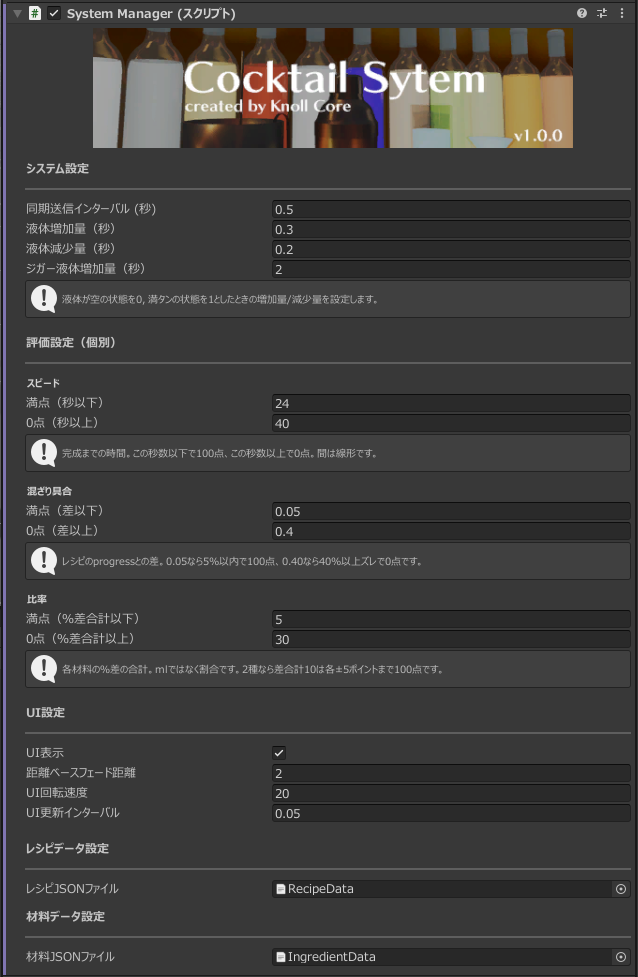
システム設定 (System)
-
表示言語/Language
In-world ingredient names, cocktail names, and UI language. Choose
日本語orEnglish. The Inspector language for this pack switches with it. Default is日本語. -
同期送信インターバル (秒)
How often to send network sync. Default is
0.4seconds. -
液体増加量(秒)
How fast liquid fills a glass or shaker.
0is empty and1is full, as increase per second. Default is0.3. -
液体減少量(秒)
How fast liquid decreases when drinking or pouring. Default is
0.2. -
ジガー液体増加量(秒)
How fast liquid fills the jigger. Default is
2.0. Pour speed from the jigger is calculated from capacity (15 / 30 / 45 / 60 ml).
評価設定(個別) (Scoring)
Used to score finished cocktails. Scores interpolate linearly between a perfect value and a zero value.
スピード (Speed)
-
満点(秒以下)
100 points if finished within this many seconds. Default is
24. -
0点(秒以上)
0 points if it takes this many seconds or more. Default is
40. Must be greater than the perfect value.
混ざり具合 (Mix)
-
満点(差以下)
100 points if the difference from the recipe
progressis within this value. Default is0.05(5%). -
0点(差以上)
0 points if the difference is this value or more. Default is
0.40(40%).
比率 (Ratio)
-
満点(%差合計以下)
100 points if the total percentage-point difference of all ingredients is at or below this value. This uses proportions, not ml. Default is
10. For two ingredients, that is about ±5 points each. -
0点(%差合計以上)
0 points if the total percentage-point difference is this value or more. Default is
30.
The total score combines speed, mix, and ratio, then applies these modifiers:
- 30% penalty if ice count is 0
- 20% penalty if the actual method (build / shaker) does not match the recipe
- No matching recipe (Failed Cocktail) is always 1 star
The total is converted to 1–5 stars (80+ = 5, 60+ = 4, 40+ = 3, 20+ = 2, below that = 1).
UI設定 (UI)
-
UI表示
Toggles liquid-name and rating UI.
-
距離ベースフェード距離
UI fades when the player is farther than this distance. Default is
2.0. -
UI回転速度
How fast the UI turns to face the player. Default is
20. -
UI更新インターバル
UI update interval. Default is
0.05seconds.
Recipe / ingredient JSON
-
レシピJSONファイル
Cocktail recipe JSON (default
RecipeData.json). A warning appears if this is empty. -
材料JSONファイル
Ingredient JSON (default
IngredientData.json). A warning appears if this is empty.
See Recipes & ingredients for the JSON format.
Bottle
Select a bottle to see these Inspector fields.
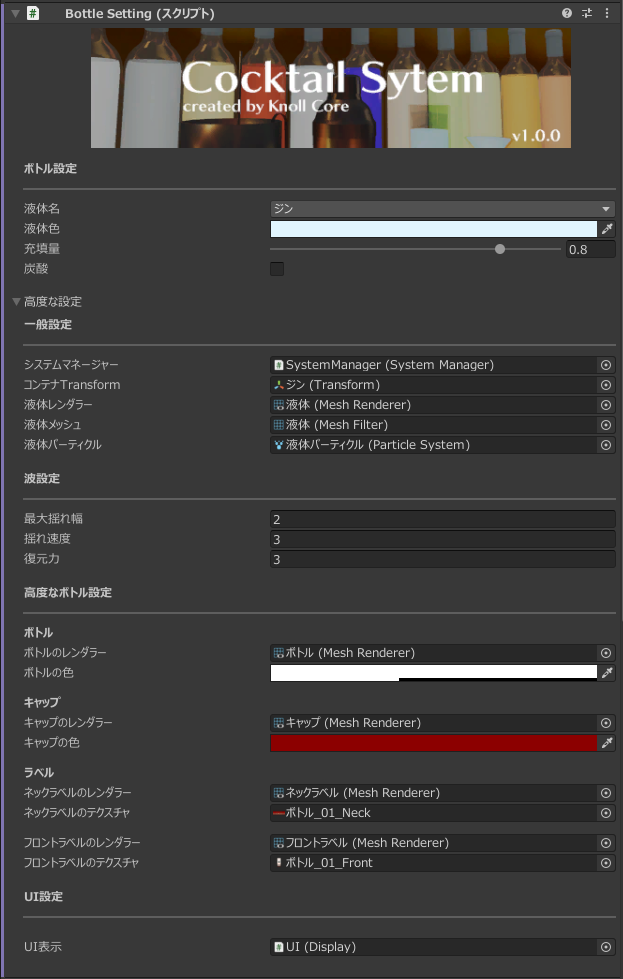
ボトル設定 (Bottle)
-
液体名
Pick an ingredient defined in
IngredientData.json. Liquid color and carbonation are overwritten from the JSON. Recipe matching uses the ingredientid, not the display name. -
液体色
Color of the liquid in the bottle and the pour particles. Changes are written back to
IngredientData.json. -
充填量
Starting fill amount, from
0(empty) to1(full). -
炭酸
Whether the liquid is carbonated. Changes are written back to
IngredientData.json.
高度な設定 (Advanced)
Usually you do not need to change these. Use them when swapping in a custom model.
一般設定 (General)
-
システムマネージャー
The SystemManager for the whole cocktail system. It is already assigned in the included set. Duplicated objects keep this reference.
-
コンテナTransform
Transform of the liquid container.
-
液体レンダラー
Renderer that draws the liquid.
-
液体メッシュ
Mesh filter for the liquid.
-
液体パーティクル
Particle system used when pouring.
波設定 (Wobble)
-
最大揺れ幅
Maximum liquid wobble amplitude. Default is
2. -
揺れ速度
How fast the liquid wobbles. Default is
3. -
復元力
How quickly the wobble settles. Default is
3.
高度なボトル設定 (Advanced bottle)
-
ボトルのレンダラー / ボトルの色
Look of the bottle body.
-
キャップのレンダラー / キャップの色
Look of the cap. The cap is hidden when the bottle is open.
-
ネックラベルのレンダラー / ネックラベルのテクスチャ
Neck label. Optional.
-
フロントラベルのレンダラー / フロントラベルのテクスチャ
Front label. Use this to swap the bottle label.
UI設定 (UI)
-
UI表示
UI component that shows the liquid name.
Glass
Select a glass to see these Inspector fields.
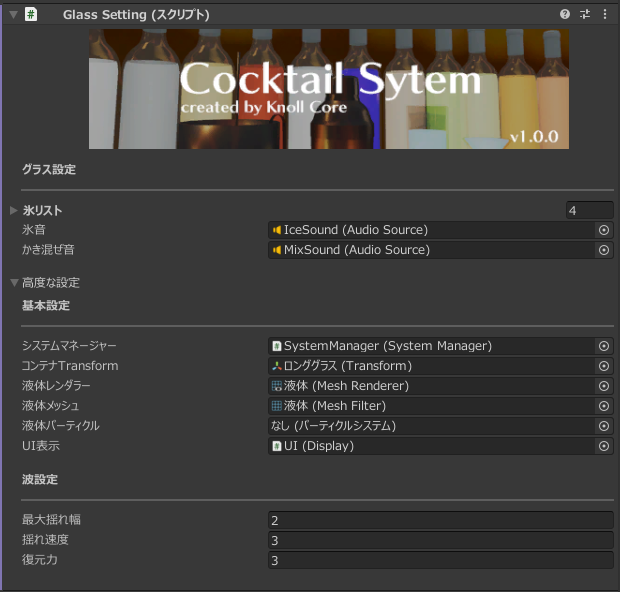
グラス設定 (Glass)
-
氷リスト
Ice objects shown in the glass. Up to 4.
-
氷音
AudioSource played when ice is added.
-
かき混ぜ音
AudioSource played while stirring with the muddler.
高度な設定 (Advanced)
基本設定 (Basic)
-
システムマネージャー
-
コンテナTransform
-
液体レンダラー
-
液体メッシュ
-
液体パーティクル
-
UI表示
UI that shows ingredient names and the rating.
波設定 (Wobble)
-
最大揺れ幅 / 揺れ速度 / 復元力
Same wobble settings as the bottle.
Shaker
Select the shaker to see these Inspector fields.
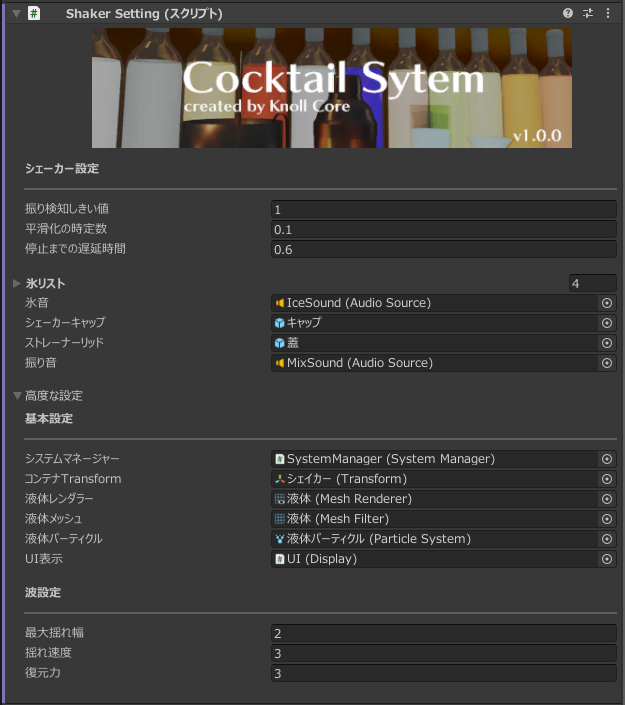
シェーカー設定 (Shaker)
-
振り検知しきい値
Speed threshold for detecting a shake. Default is
1. -
平滑化の時定数
Time constant used to smooth shake detection. Default is
0.1. -
停止までの遅延時間
Seconds after you stop shaking before the shake sound stops. Default is
0.6. -
氷リスト / 氷音
Same ice settings as the glass. Up to 4 cubes.
-
シェーカーキャップ
Cap shown while closed or shaking.
-
ストレーナーリッド
Strainer shown while closed or shaking. Only the cap comes off when pouring.
-
振り音
AudioSource played while shaking.
高度な設定 (Advanced)
Same basic and wobble settings as the glass.
Jigger
Select the jigger to see these Inspector fields. Small and large sides are stored in one setting.
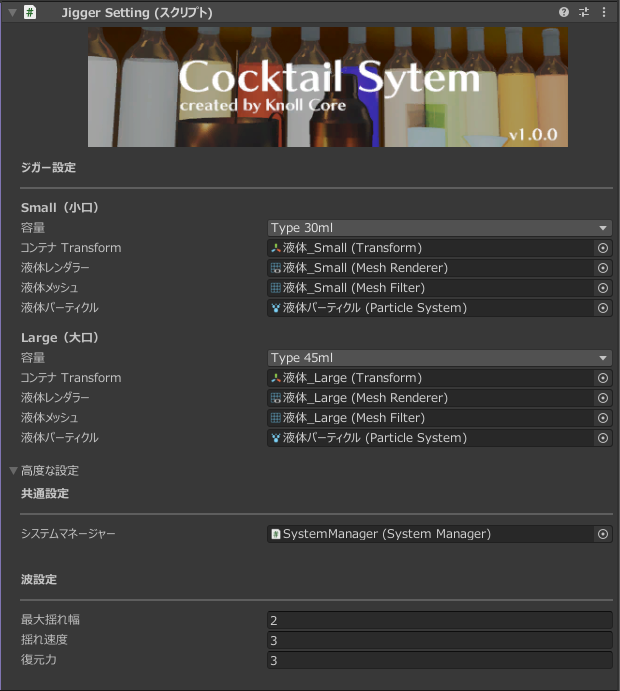
ジガー設定 (Jigger)
The included Prefab starts at 30ml (small) and 45ml (large). Capacity can be 15ml / 30ml / 45ml / 60ml.
Small(小口) / Large(大口)
-
容量
Measuring volume for that side.
-
コンテナ Transform
Liquid container for that side.
-
液体レンダラー / 液体メッシュ / 液体パーティクル
Liquid display and pour particles for that side.
高度な設定 (Advanced)
共通設定 (Shared)
- システムマネージャー
波設定 (Wobble)
- 最大揺れ幅 / 揺れ速度 / 復元力
Items
Select the muddler, tongs, or ice bucket to see these Inspector fields.
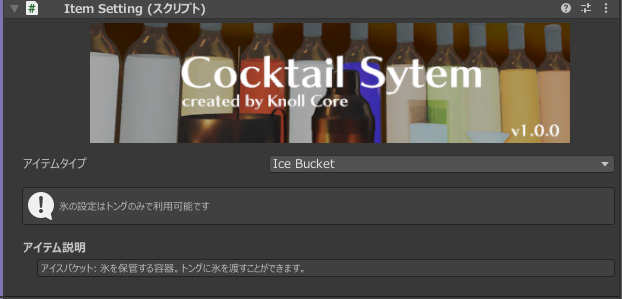
-
アイテムタイプ
Muddler/Tongs/IceBucket. -
氷オブジェクト (tongs only)
Object shown when the tongs are holding ice. This field is hidden for the ice bucket and muddler.
Roles:
- Muddler: Stir ingredients in a glass. No sync.
- Tongs: Take ice from the ice bucket and add it to a glass or open shaker. Ice state is synced.
- IceBucket: Gives ice to the tongs.
If behavior looks wrong after you change settings, place the CocktailSystem Prefab again or reset values to defaults. To add objects, duplicate existing ones instead of creating standalone copies.